IGI Commando Mission: Cover Fire
You May Also Like
Latest Games
Master Chess

8 Ball Billiards Classic
Lightbot

FallZone.io
Bloons Tower Defense 5
Smash Karts
Moto X3M
Superfighters
Candy Box 2
Exhibit of Sorrows
Google Pacman

2048

BloxdHop.io
Mad Truck Challenge Special
3D Moto Simulator 2
Wrassling
Drive Mad
Snake Classic

Stacktris

Color Tunnel
Rooftop Snipers
Stickman Clash

Friday Night Funkin
Papa's Cheeseria
Ultimate Tower Defense
Hide Online
Orion Sandbox

Level Devil

Subway Surfers
FlyOrDie.io

Monopoly Online
Super Bear Adventure
Melon Sandbox

Sprunki Phase 9

Angry Birds
Sort the Court!

We Become What We Behold

Merge Round Racers
PolyTrack
Grindcraft

Four Colors

Space Waves
Money Movers

Vex 3
Bob the Robber 4

Dynamons World
Bob the Robber 3

OpenFront.io

Florr.io
Traffic Racer
Pixel Shooter.IO
Funny Shooter 2

Elastic Man

Traffic Jam 3D

Gold Miner
PolyTrack

Krunker.io

Hangman

WorldGuessr

Uno Online

Shell Shockers
Mini Monkey Mart

Diep.io
Papa's Freezeria

Cut the Rope
Deeeep.io

Little Big Snake

Slither.io
Block Puzzle Master
Haunted School

My Perfect Hotel
Cookie Clicker

Bubbits

Agar.io
Heroes Assemble
Fireboy and Watergirl in the Crystal Temple

Fishing Frenzy
Vex 7
Hill Climb Racing 2
Snow Rider 3D
Colossatron
Speed Stars

Mini Monkey Mart

Stickman Fighting 3D

Drift Boss

Iron Snout

Sausage Flip

Basketball Stars

Retro Bowl
Death Run 3D

Stick Defenders

Gun Spin

Battle Wheels
Tower Crash 3D
Find Me: Lost Objects
ZooBlocks
Geometry Dash
Drift Hunters
Run 3

Slope
EvoWars.io
Holey.io Battle Royale
Worm Hunt
Short Life
Smash Karts
Sky Riders

Temple Run 2

Stickman Hook
Mahjongg Solitaire
Veck.io
Ragdoll Archers
Stick Clash Online

Paper.io 2

Stickman Fighter: Mega Brawl

2048

Roxie's Kitchen: Carbonara Pasta
Street Fight King of the Gang

Cricket Hero

Misland

Beauty Salon
Getaway Shootout
Puppet Master

Fashion Week 2025
Basket Random

Super Mario Bros

11-11
Magikmon
Stickman Fighter: Epic Battles
Moto X3M

MineFun.io
Clash of Tanks

8 Ball Pool
Steal and Run

Vortella's Dress Up

Football Legends

Red Ball 4
Blocky Blast Puzzle

Bubble Shooter

Planet Destruction

Drive Mad

Bee Sort by Sam

kawaii fruits 3d

Subway Surfers

poor bunny unblock
level devil unblock

Screw Masters 3D Puzzle

Paper Block

Slice Master

snake-arena

traffic rider

space waves
Count Masters

Shell Shockers

Royal Kingdom
IGI Commando Mission: Cover the Fire

Tic Tac Toe

Bloxd.io
About This Game
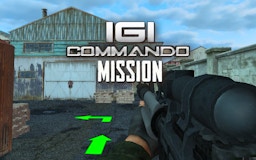
IGI Commando Mission: Cover Fire is a single-player 3D first-person shooter (FPS). Unlike traditional run-and-gun arcade shooters, this game emphasizes tactical movement, stealth, and precise engagement. You play as a lone operative with limited gear, infiltrating hostile territory to complete multi-stage mission objectives.
Mission Objectives
- Objective: Complete the series of goals shown at the start of each level.
- Progression: Objectives must be completed in order and are automatically checked off when done.
- Failure Condition: If your health reaches zero, the mission fails and must be restarted.
Controls
- W, A, S, D: Move (forward, left, back, right)
- Mouse pointer: Look/aim
- Left mouse button: Attack/fire
- Right mouse button: Aim down sights (ADS)
- Mouse wheel: Switch weapons
- R: Reload
- E: Interact (pick up items, use objects)
- Spacebar: Jump
- Shift: Sprint
Gameplay and Progression
-
HUD (Heads-Up Display)
- Health: Shown at the top of the screen—monitor it closely.
- Minimap: Located in the top-left corner; helps spot enemies and navigate terrain.
- Objective markers: Appear when you meet task requirements.
-
Shop and Loadout
- Earn money: Complete missions to receive in-game currency.
- Buy gear: Before each mission, visit the shop to purchase new primary weapons and customize your loadout.
- Select mission: After equipping, choose your mission and deploy to the combat zone.
Survival Tactics
- Avoid rushing in: As a solo operative facing overwhelming numbers, charging into open areas is fatal. Use caution and judgment.
- Master cover mechanics:
• Use cover frequently.
• Ensure your entire character model is behind cover—partial exposure still results in damage. - Handle crossfire: If attacked from multiple angles:
• Retreat immediately.
• Break line of sight to reduce visibility.
• Eliminate enemies one by one to avoid being surrounded. - Interact carefully: Some interactions require holding E. Always ensure your surroundings are secure before starting.